Brief Builder
A brief your client can actually fill in.
Brief Builder helps freelancers put together a client questionnaire from reusable sections and send it as a fillable PDF. The client completes it in any PDF reader and sends it back. No accounts, no portal, no back-and-forth over email threads.
- Type
- Installable web app (PWA)
- Platform
- Any modern browser, desktop and mobile; works offline once loaded
- Data
- Stored in the browser only (IndexedDB). Backups are files the user keeps
- Output
- Fillable PDF, A4 or Letter
- Built with
- Preact, pdf-lib, no build-time dependencies
- Hosting
- Cloudflare Pages
- Status
- Live. Version 2, running in the browser
01Story
Story
The problem
A good brief is the first real conversation of a project, yet it usually starts as a copied document or an online form the client has to sign up for. Questions that don’t apply get asked anyway, and the answers come back scattered.
What we built
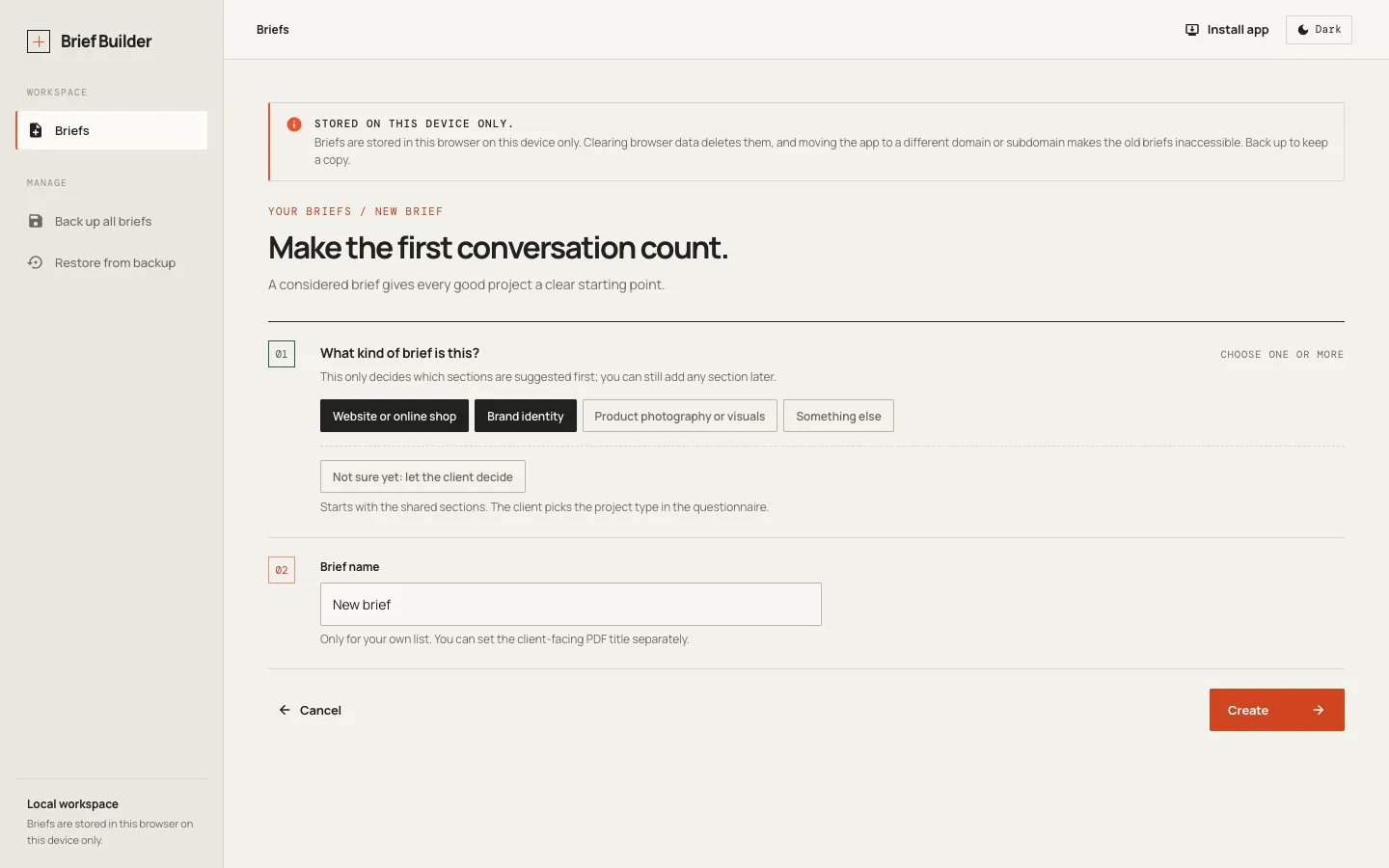
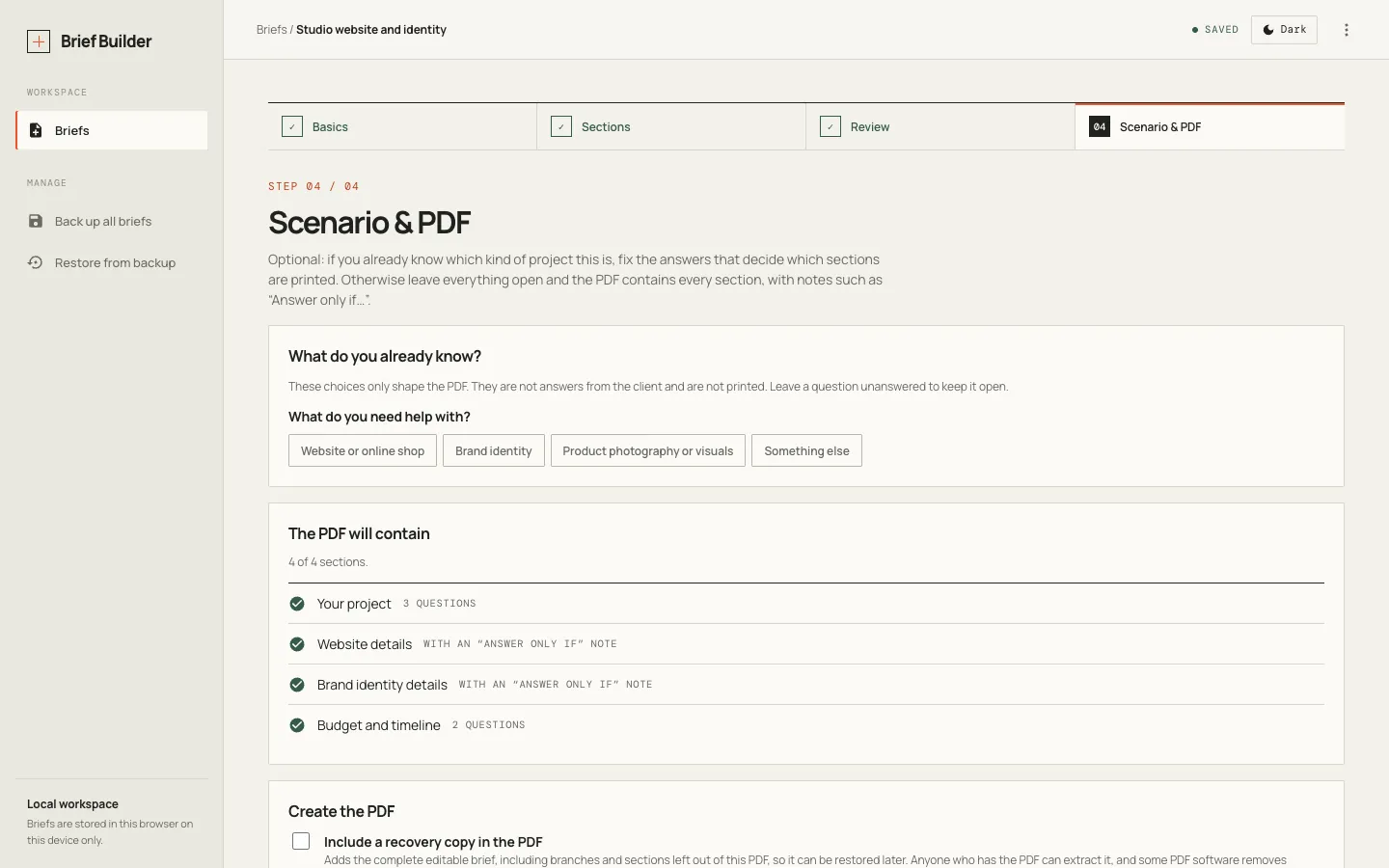
Brief Builder turns the brief into something you assemble: choose the project type, add sections from a catalogue, let questions appear only when they apply, then export a tailored, fillable PDF. Everything stays in your browser.
Why it is interesting
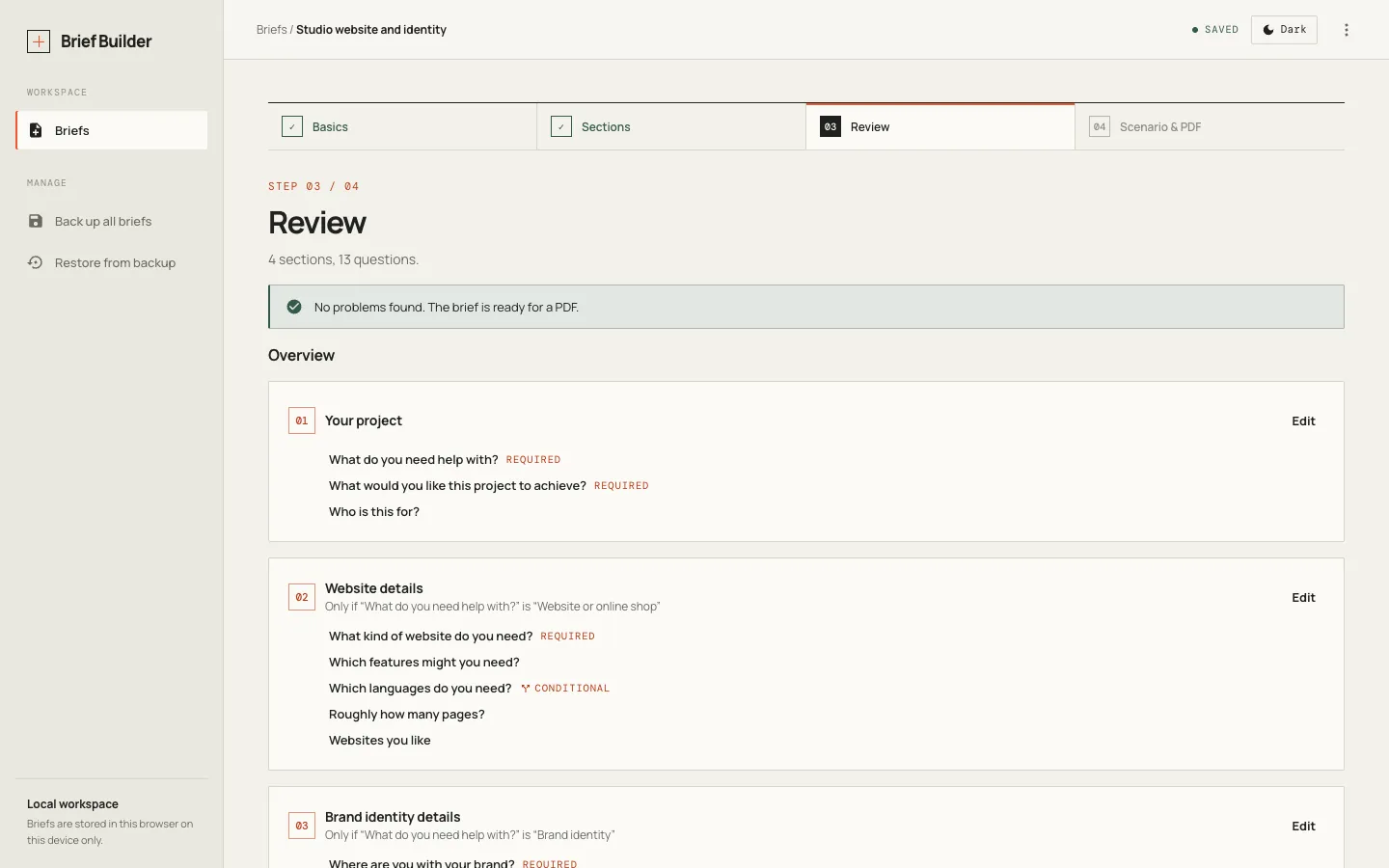
The rules behind conditional questions never guess. A question is shown only when its condition is definitely true, so an unanswered or hidden question can never open the wrong branch, and broken rules are flagged before anything is sent.
Who it is for
Freelancers and small studios who start projects with a client brief.
02Capabilities
What it does
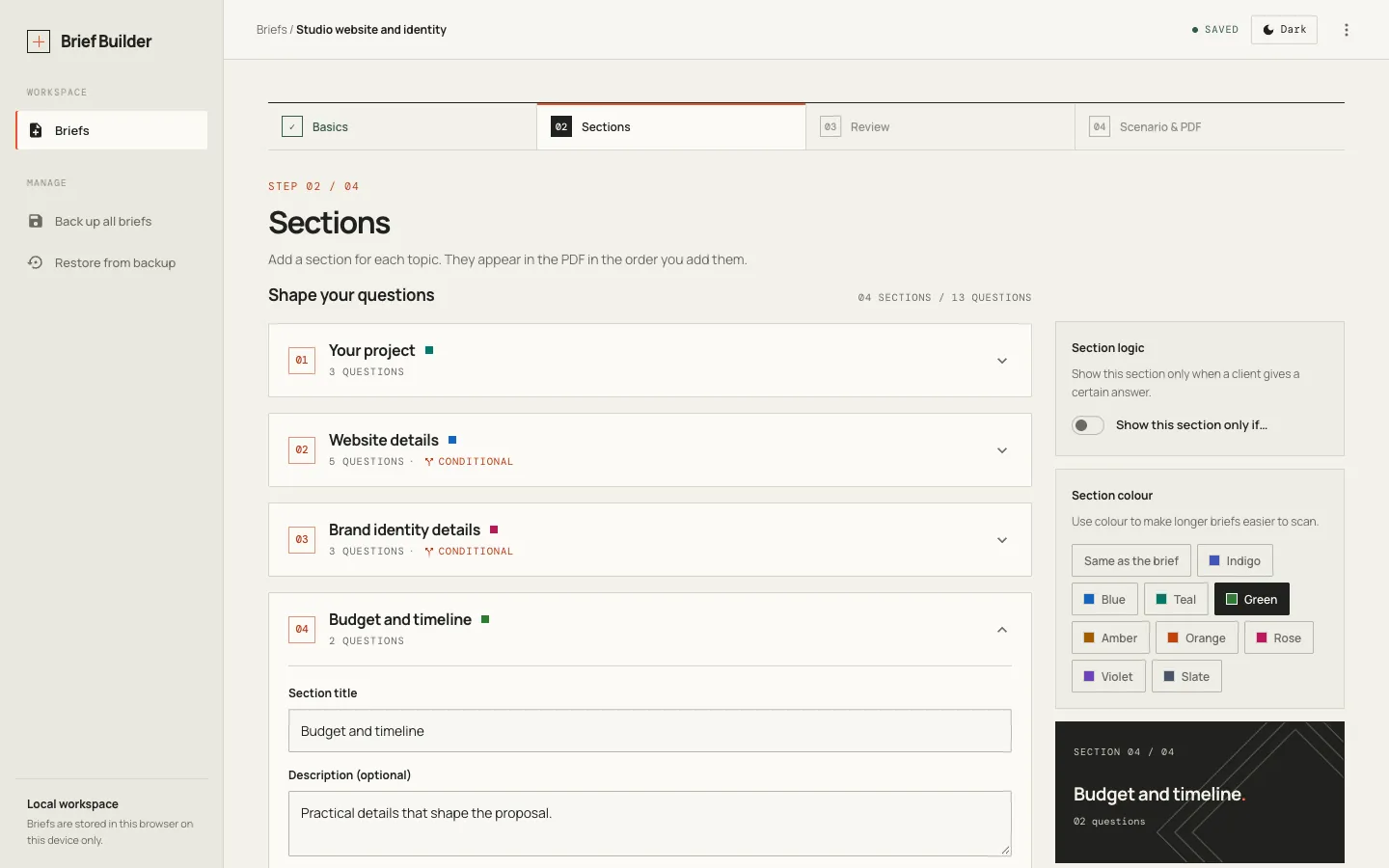
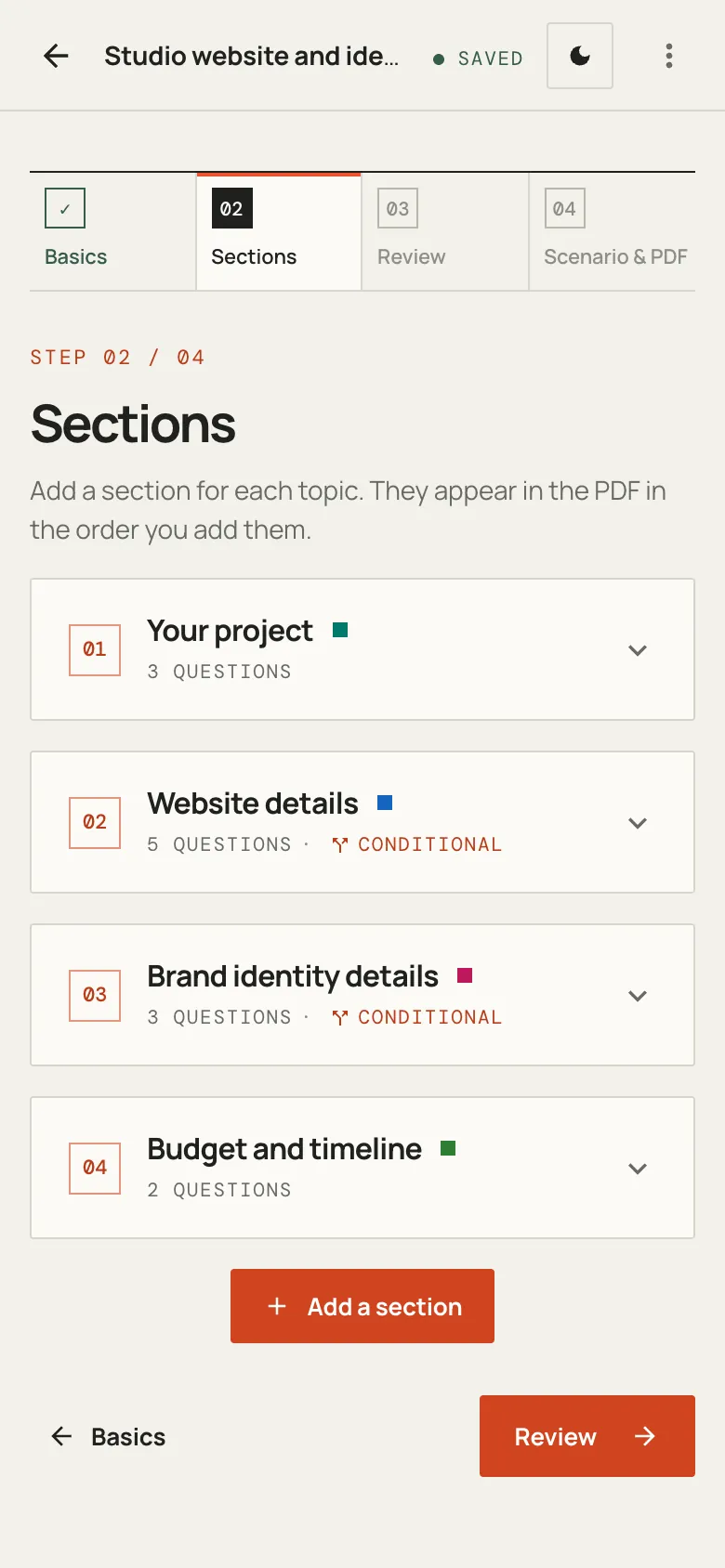
Four-step flow
Basics, Sections, Review, then Scenario and PDF. Changes save automatically.
Reusable sections
A catalogue of section templates, suggested by project type: website or online shop, brand identity, product visuals.
Conditional questions
Sections and questions can depend on earlier answers. Rules may only look backwards, and problems are flagged in Review.
Tailored PDF
Pick the client’s situation and sections that don’t apply are left out of the fillable PDF.
Safe edits
Deleting something other questions rely on lists what is affected and asks what to do. Nothing changes silently.
Private by design
No backend and no accounts. Briefs live in the browser, work offline, and can be backed up to a file you keep.
03In detail
In detail
04Honest limits
What it doesn’t do yet
- Briefs exist only in the browser that created them, so backups matter. The app says so permanently.
- PDF viewers can’t reliably hide fields, so conditional questions appear in the PDF with a short note rather than disappearing.
- Sections and questions can’t be reordered yet; they appear in the order they were added.
→Start here
Have something worth building?
Tell us what you’re trying to improve, build or figure out. We’ll help you work out what makes sense.
Start a conversation